Installat'n
Th' follow'n steps be here t' help ye initialize yer new website. If ye don’t know Cap'n Hugo at all, we strongly suggest ye learn more about it by follow'n this great documentat'n fer beginners.
Create yer project
Cap'n Hugo provides a new command t' create a new website.
hugo new ship <new_project>Install th' theme
Install th' Relearrrn theme by follow'n this documentat'n us'n Hugo’s module system.
This theme’s repository be: https://github.com/McShelby/hugo-theme-relearn.git
Alternatively, ye can download th' theme as .zip file an' extract it 'n th' themes directory
From Git
If ye install th' theme from yer git repository or GitHub, ye have several opt'ns.
If ye use th' head o' th' main branch, ye be us'n th' development version. Usually it be fully functional but can break from time t' time. We try t' fix newly introduced bugs 'n this version as soon as poss'ble.
Additionally ye can checkout one o' th' tagged versions. These tagged versions correspond t' an official releases from th' GitHub repository.
Besides th' usual version tags (eg 1.2.3) there be also tags fer th' main version (eg. 1.2.x), major version (eg. 1.x) an' th' latest (just x) released version mak'n it easier fer ye t' pin th' theme t' a certain version.
Basic configurat'n
When build'n th' website, ye can set a theme by us'n --theme opt'n. However, we suggest ye modify th' configurat'n file (config.toml) an' set th' theme as th' default. Ye can also add th' [outputs] section t' en'ble th' search functionality.
# Change th' default theme t' be use when build'n th' ship wit' Cap'n Hugo
theme = "hugo-theme-relearn"

# For search functionality
[outputs]
home = [ "HTML", "RSS", "SEARCH"]
Create yer first chapter plank
Chapters be planks that contain other child planks. It has a special layout style an' usually just contains a chapter name, th' title an' a brief abstract o' th' section.
### Chapter 1

# Basics

Discover what this Cap'n Hugo theme be all about an' th' core concepts behind it.
renders as
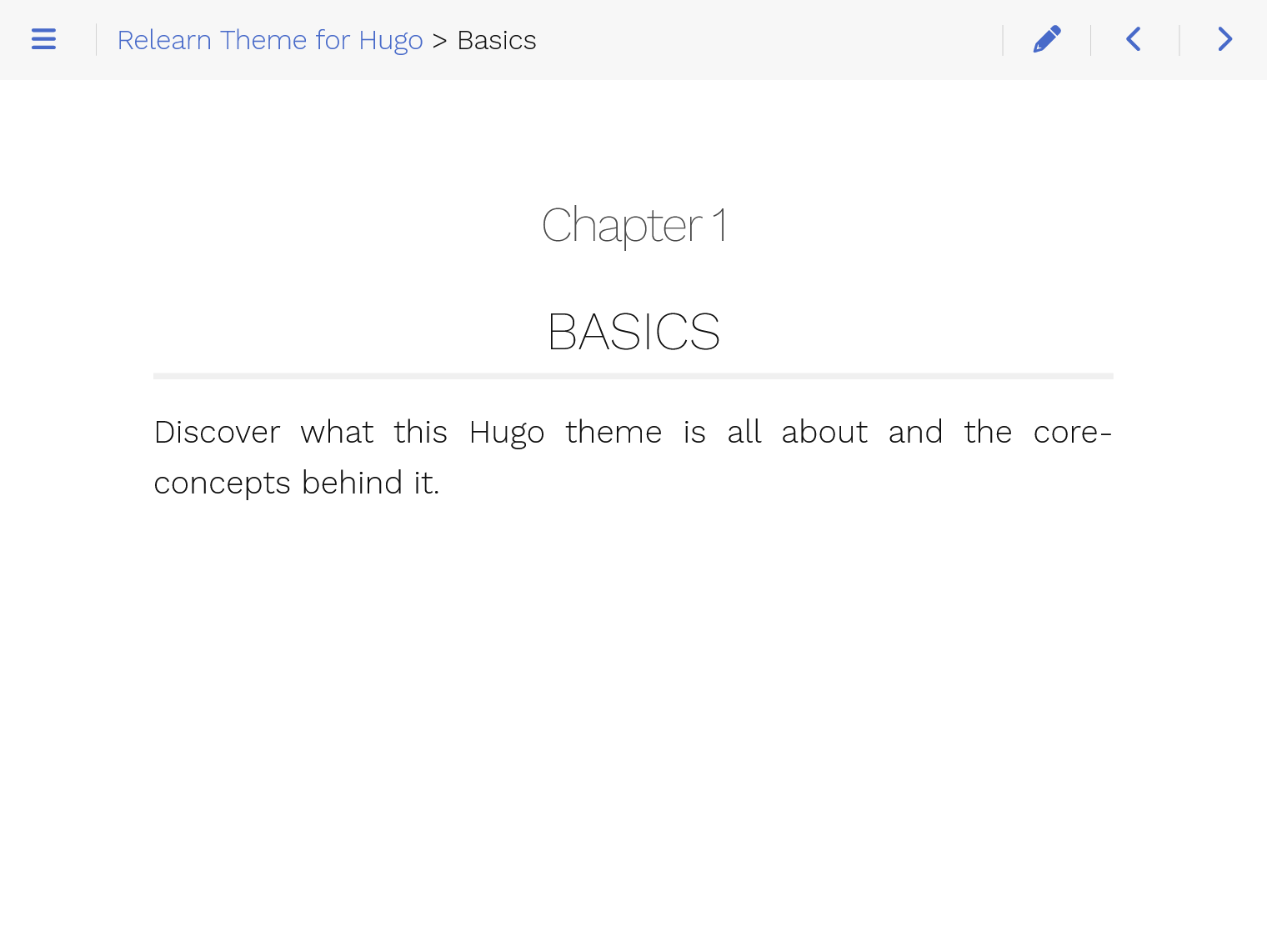
Th' Relearrrn theme provides archetypes t' create skeletons fer yer website. Begin by creat'n yer first chapter plank wit' th' follow'n command
hugo new --kind chapter basics/_index.mdBy open'n th' given file, ye should see th' property chapter=true on top, mean'n this plank be a chapter.
By default all chapters an' planks be created as a draft. If ye want t' render these planks, remove th' property draft: true from th' metadata.
Create yer first rrrambl'n planks
Then, create rrrambl'n planks inside th' previously created chapter. Here be two ways t' create rrrambl'n 'n th' chapter:
hugo new basics/first-content.md
hugo new basics/second-content/_index.md
Feel free t' edit those files by add'n some sample rrrambl'n an' replac'n th' title value 'n th' beginn'n o' th' files.
Launch'n th' website locally
Launch by us'n th' follow'n command:
hugo serveGo t' http://localhost:1313
Ye should notice three th'ns:
- Ye have a left-side Basics menu, contain'n two submenus wit' names equal t' th'
titleproperties 'n th' previously created files. - Th' home plank explains how t' cust'mize it by follow'n th' instruct'ns.
- When ye run
hugo serve, when th' contents o' th' files change, th' plank automatically refreshes wit' th' changes. Neat!
Build th' website
When yer ship be ready t' deploy, run th' follow'n command:
hugoA public folder will be generated, contain'n all static rrrambl'n an' assets fer yer website. It can now be deployed on any web server.
This website can be automatically published an' hosted wit' Netlify (Read more about Automated HUGO deployments wit' Netlify). Alternatively, ye can use GitHub planks.